
Monday morning, 8 a.m. Your production manager calls you, sounding tense: the urgent order for customer Durand cannot be shipped. There are 50 units of part X-75 missing, even though your Excel stock tracking file, shared on the network, indicated that 120 were available.
The result: a production line at a standstill, an unhappy customer and a team under stress to find a solution.
This scenario is not fiction. It is the daily reality for many industrial SMEs that still manage their critical operations using Excel. Although familiar and flexible, this spreadsheet programme has become a major obstacle to your growth.
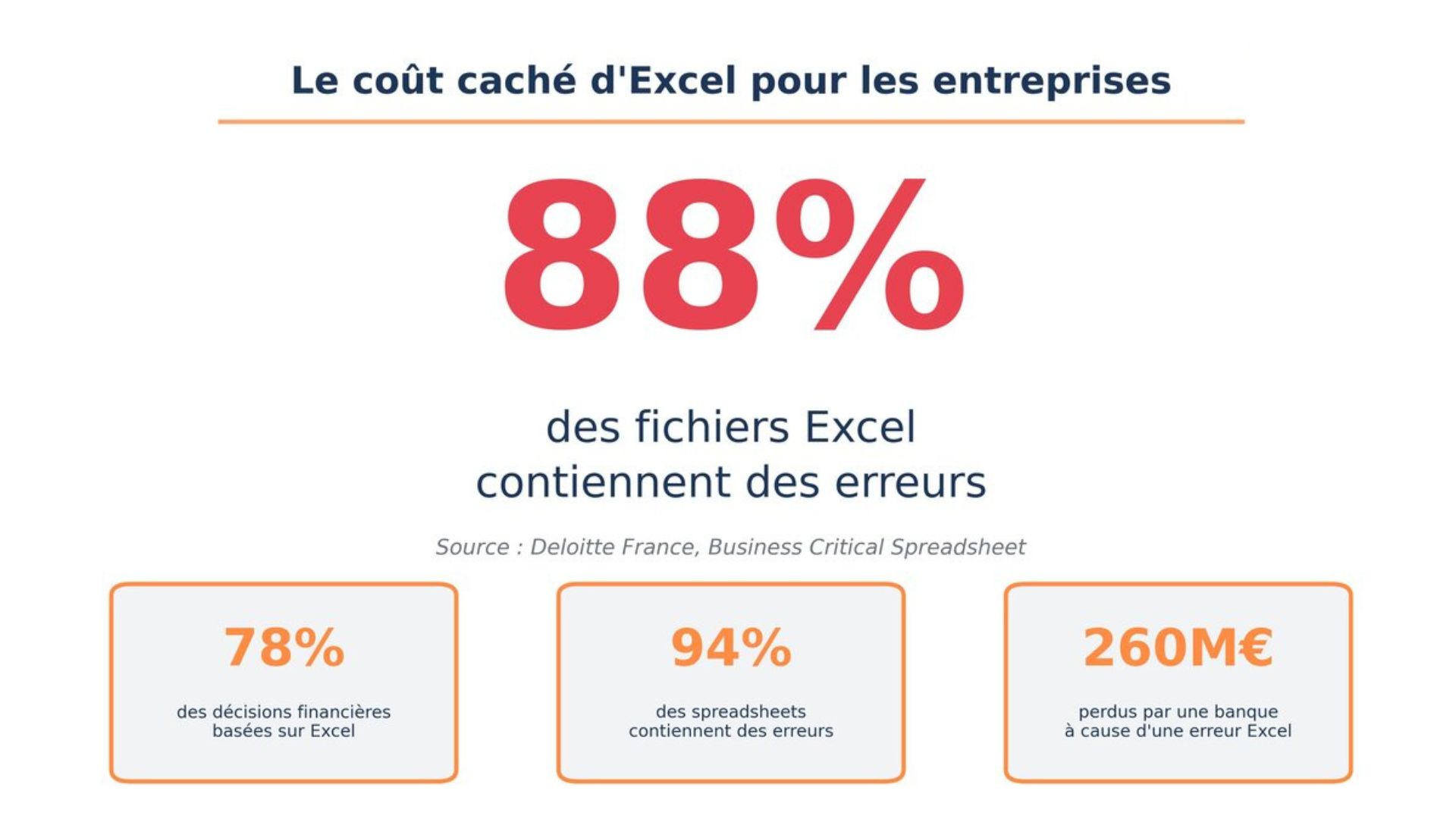
A study by Deloitte reveals an alarming statistic: 88% of professional spreadsheets contain errors [1].
These are not mere typos, but real time bombs that erode your margins, delay your production, and create an invisible glass ceiling above your business. Here are the five concrete obstacles that Excel imposes on your business, and how a modern ERP like Odoo removes them one by one.
1. Data reliability: a costly illusion
The biggest myth about Excel is believing that the figures are accurate. Between manual entries, haphazard copy-and-paste operations, broken formulas and multiple versions of the same file, errors are the norm, not the exception.
A case study by Spectre ERP perfectly illustrates this danger: a simple decimal point error in the price of a fastener ($0.05 instead of $0.50) resulted in a margin loss of $5,400 on a single project [2].
Another example from the same report shows how a raw material price that was not updated in a spreadsheet caused an underestimation of nearly $3,000 [2].
These ‘minor’ errors, accumulated over hundreds of order lines and stock references, translate into tens of thousands of pounds in net losses each year.
The ERP solution: A centralised system with a single source of data. A sale updates stock levels in real time, triggering a replenishment alert, which informs production. Data is consistent, automatic and reliable, from order to delivery.
2. Lost time: your teams are worth more than that
How many hours do your teams spend each week consolidating files, checking figures, and hunting for the ‘right version’ of the production schedule?
This time has no added value. It is a colossal hidden cost.
Let us imagine that two of your employees (one in the design office, one in planning) lose only three hours per week due to these manipulations.
Over the course of a year, this amounts to more than 300 hours.
At an average hourly cost of €50, that's €15,000 per year spent solely to compensate for Excel's shortcomings.
The ERP solution: Automated dashboards and reports generated with a single click. Information is instantly available to everyone in a visual and actionable format. Your teams can finally focus on analysis and decision-making, not data manipulation.
3. Impossible traceability: a major risk for the industry
Who modified the stock? When? Why? In Excel, the answer is often: ‘We don't know.’
For an industrial SME subject to quality standards (ISO 9001, etc.), this lack of traceability is a major risk. In the event of a quality issue or product recall, tracing the supply and production chain becomes a nightmare.
Deloitte reports a case of a copy-paste error that cost a company $24 million, simply because the wrong information was propagated without any checks [3].
The ERP solution: Every transaction, every stock movement, every stage of production is time-stamped and tracked. You can track a batch of raw materials from receipt to dispatch in the finished product. This is a requirement for many markets and a guarantee of peace of mind for you.
4. Ineffective collaboration: silos that block production
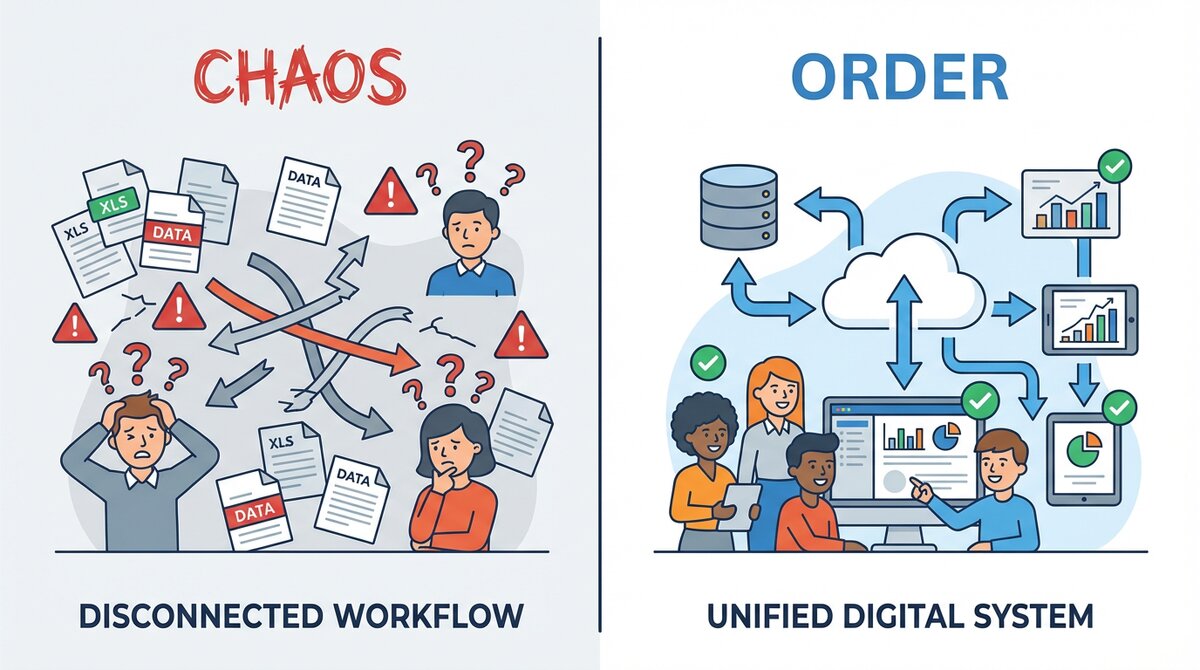
Excel is not a collaborative tool. The file is ‘read-only’, versions are sent by email, sales staff do not have the latest stock information, and production works on a schedule that is already out of date. This constant lack of synchronisation creates friction, delays and frustration.
Spectre ERP documents a case where a plan revision by an architect was not updated in the production spreadsheet. The result: 30 panels manufactured with the wrong specifications, resulting in a net loss of $18,000 in materials and labour [2].
The ERP solution: A single platform where all departments share the same information. Sales staff can see actual stock levels, production staff can see confirmed orders in real time, and management has an overview of the entire process. Communication is seamless and decisions are made quickly.
5. The brake on growth: you cannot scale up on Excel
As your business grows, the number of products, customers, orders and suppliers skyrockets.
The Excel-based system, which worked with 10 people, collapses with 50.
You cannot indefinitely hire administrative staff to compensate for the weaknesses of your tools. It is a glass ceiling that is blocking your development.
Do you think these figures are exaggerated?
Take 30 seconds to use this calculator. Based on industry averages, it will give you an estimate of the hidden annual cost of Excel for your business. The result may surprise you.
How does this calculator work?
This calculator estimates the annual cost of Excel for your business by combining two measurable elements: first, the time your teams waste each week manipulating, consolidating and correcting Excel files (calculated on the basis of an hourly cost of £50, a standard average in Europe); second, a conservative impact of 1% of your turnover to represent the hidden costs associated with data errors (incorrect stock levels, production delays, eroded margins).
This 1% figure is deliberately conservative: industry studies generally estimate the cost of non-quality at between 2% and 5% of turnover, and cases documented by Deloitte and Spectre ERP show much higher losses. This calculator therefore gives you a low, realistic and defensible estimate of the real cost of Excel to your business.
It's time to get your business moving again
Replacing Excel with an ERP system is not an IT project, it is a strategic decision for the growth and sustainability of your SME. Modern tools such as Odoo are now agile, affordable and specifically designed for the needs of industrial SMEs.
At OXALYO, we are not software vendors. We are architects of high-performance organisations. We help SME managers structure their processes, choose the right tools and integrate them to achieve measurable results quickly.
Do you recognise yourself in these obstacles?
Do you feel that your current organisation is holding you back?
Contact us today to discover how to unlock your full growth potential:
Contact Us Now Book a Free Quick Scan
References
[1] Deloitte France. "Business Critical Spreadsheet : Quels risques ? Quels remèdes ?". Consulté le 8 décembre 2025. https://www.deloitte.com/fr/fr/services/consulting-financial/services/business-critical-spreadsheet.html
[2] Spectre ERP. "The Hidden Costs in Manufacturing". 7 novembre 2025. https://www.spectrerp.com/blog/the-hidden-costs-in-manufacturing
[3] CNBC. "Spreadsheet blunders costing business billions". 30 juillet 2013.
https://www.cnbc.com/2013/07/30/spreadsheet-blunders-costing-business-billions.html